Recovering from FreeBSD bootloader crash
Michael NeumannA couple of days ago, after switching on my laptop, the boot process stopped
prematurely still within the FreeBSD boot loader, showing me this obscure
message ZFS: i/o error - all block copies unavailable:
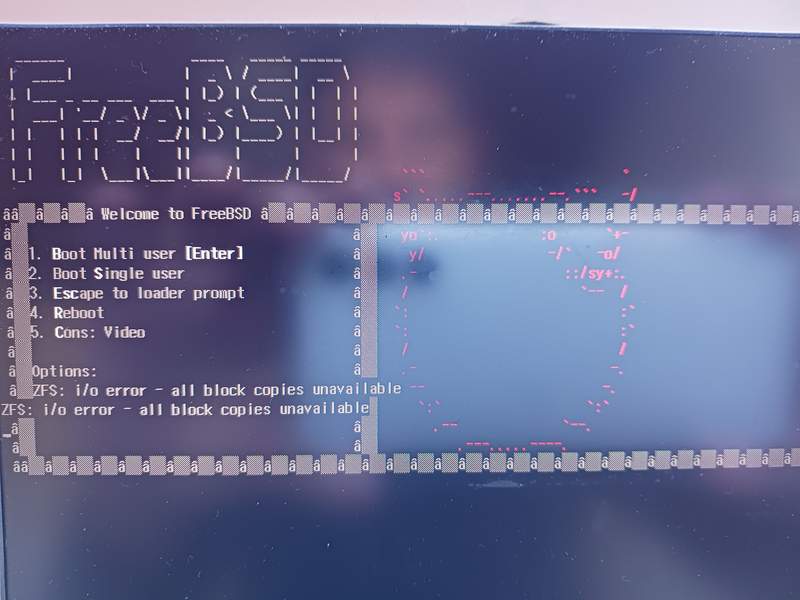
No further interaction was possible so it basically "paniced" within the boot
loader. And of course I did panic too, at least a bit, as the last full backup
was before I left home roughly two month ago. The night before the crash I was
doing a forceful package update using pkg upgrade -f mainly because the
update to FreeBSD 13.2-RELEASE did not went too well thanks to my own stupidity
of updating the packages before doing the second stage of freebsd-update
install. Most likely, during pkg upgrade -f, the ZFS filesystem got
exhausted and for some unknown reason destroyed the boot loader. Or some other
obscure corruption happend.
How to fix the corrupt boot loader
The article Recover a FreeBSD system using a liveUSB helped a lot.
First step: I got a FreeBSD live USB image (FreeBSD 13.1, as 13.2 did not boot properly) and booted into it.
Then: Before trying to fix anything, I first checked if I can still mount my ZFS root filesystem and data partitions:
# The root ZFS file system is on my NVME SSD (nvd0)
# located in the 4th GPT partition (nvd0p4).
# It is `geli` encrypted, so we first need to attach it.
geli attach /dev/nvd0p4

# Import the zroot pool
zpool import -fR /mnt zroot

# Mount the ROOT filesystem
mount -t zfs zroot/ROOT/default /mnt
Luckily this did not show any corruption. So I continued with re-initializing the boot loader as can be seen on the second half of the following screenshot:
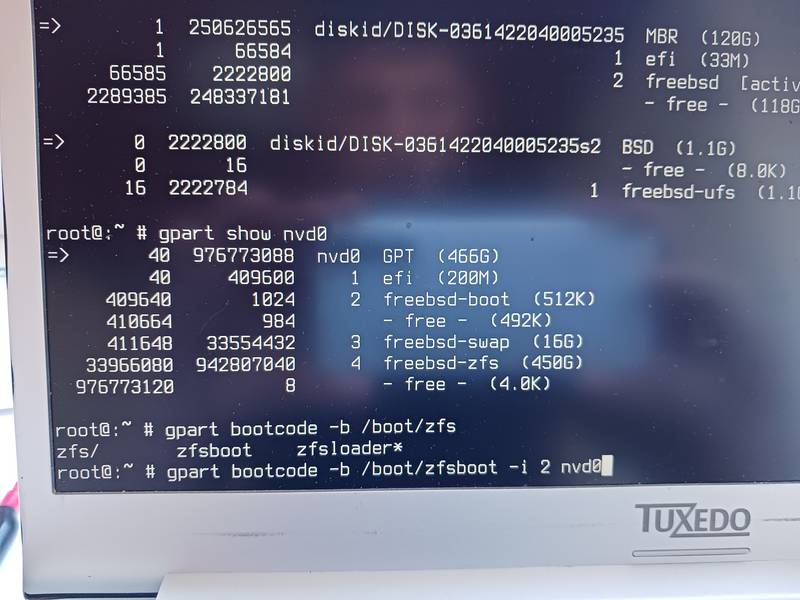
Or in text form:
# Show where freebsd-boot resides
gpart show nvd0

# Re-initialize it (partition 2)
gpart bootcode -b /boot/zfsboot -i 2 nvd0
After executing these commands I was able to boot normally into FreeBSD.